Driving School Website Essentials: What Students Need to See
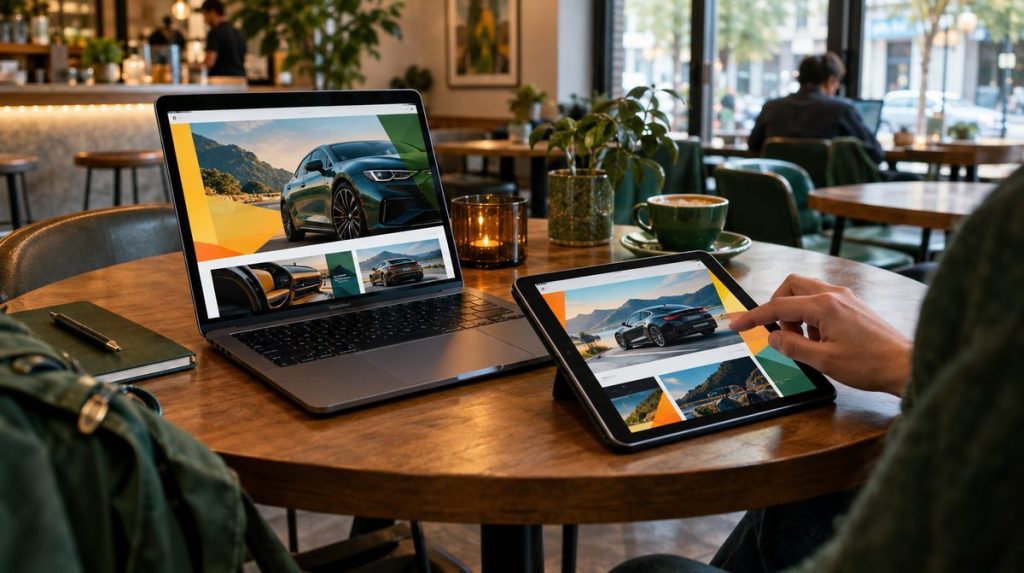
Most people who visit your website have already decided they need driving lessons. They are deciding whether to book with you. Your website’s job is to answer their questions quickly and make booking easy, especially on a phone.
This guide covers what students and parents need to see, the features that turn visits into bookings, and the technical basics that keep your site fast and easy to find.
What Visitors Want to Know in the First Few Seconds
When someone lands on your homepage, they are looking for answers to a few questions. Put these near the top:
- Do you serve my area? List the towns or neighborhoods you cover.
- What do you offer? Private lessons, road test packages, classroom driver ed, and any specialties.
- How much does it cost? Or at least where to find prices.
- Are you licensed and trustworthy? State licensing, reviews, and real photos.
- How do I book? A clear “Book a Lesson” button and a tap-to-call phone number.
If a parent has to dig through menus to find these answers, they will go back to the search results and call the next school.
Essential Pages for a Driving School Website
Homepage
Summarize who you teach, where, and why to choose you. Include your main call to action, a few reviews, and links to your key services.
Services and packages
Give each main service its own page or clear section: single lessons, multi-lesson packages, road test packages, classroom courses, defensive driving, and lessons for adults or nervous drivers. Separate pages also help you show up for specific searches. See our local SEO guide for details.
Pricing
Many schools hide their prices to force a phone call. That often sends visitors to a competitor who lists prices clearly. Show what you can:
- Price per lesson and lesson length.
- Package prices and what each includes.
- Road test package details, such as a warm-up lesson and use of the car, where your state allows it.
- Pickup areas and any travel fees.
- Cancellation, rescheduling, and refund policies.
If prices vary, give a starting price or a range and explain what changes it.
About and instructors
Parents are trusting you with their teen. Introduce your instructors with a photo, how long they have taught, and the languages they speak. Share how your school started and what your teaching approach is.
Licensing and credentials
Show that your school is licensed or certified by your state. Depending on your state, that may be a license from the DMV, department of education, or another agency. Include:
- Your school’s license or certification number, if your state issues one.
- The name of the licensing agency, with a link to its website so visitors can look up licensed schools where that is available.
- A note that all instructors are state-licensed and background-checked, if true in your state.
- Insurance and vehicle safety equipment, such as dual-control brakes.
Some states require schools to display license information in advertising. Check your state’s rules and follow them on your website.
Reviews and testimonials
Show real reviews from real students, ideally with first names and the service they used. Link to your Google reviews so visitors can see them in context. Never write fake testimonials. The FTC’s 2024 rule on reviews bans fake reviews and testimonials, including ones that misrepresent who wrote them.
FAQ
Answer the questions you hear on the phone every week:
- Do you pick students up from home or school?
- Can I use your car for the road test?
- How many lessons will I need?
- What do I need to bring to my first lesson?
- Do you teach in languages other than English?
Contact
List your phone number, email, business address or service area, and hours. Make the phone number tap-to-call on mobile. Your name, address, and phone should match your Google Business Profile and directory listings exactly.
Location pages (if you serve several areas)
If you serve multiple towns, a page for each area with real local information, such as pickup zones and nearby road test sites, helps both visitors and search engines.
Online Booking: The Feature That Matters Most
Many people research lessons in the evening, after your office closes. If they can book on the spot, you get the student. If they have to call tomorrow, they may book elsewhere.
What good online booking looks like
- Real-time availability by instructor, location, and lesson type.
- Online payment or deposits to cut no-shows.
- Automatic confirmations and reminders by email or text.
- Easy rescheduling within your policy.
- Intake questions such as permit number, pickup address, and experience level.
- A “How did you hear about us?” field so you can track which marketing works.
Several scheduling tools are built for driving schools, and general booking tools can work for smaller schools. Choose one that integrates cleanly with your website and works well on phones.
If you don’t offer online booking yet, at least add a short request form and a click-to-text option, and reply quickly.
Mobile-Friendly Design Is Not Optional
A large share of people searching for local services do it on their phones, and teens and young adults are especially phone-first. Google also completed its move to mobile-first indexing in 2023, which means it primarily uses the mobile version of your site for indexing and ranking.
Mobile checklist
- Text is readable without zooming.
- Buttons are big enough to tap easily and not crowded together.
- The phone number and “Book” button are visible without scrolling far.
- Menus are simple and easy to open and close.
- Forms are short and use the right keyboard (number pad for phone numbers).
- No pop-ups that cover the page and are hard to close.
- Pricing tables fit the screen or switch to a stacked layout.
The simplest test: open your site on your own phone and try to book a lesson. Then ask a parent and a teen who have never seen it to do the same, and watch where they get stuck.
Speed and Technical Basics
Slow pages lose visitors, especially on mobile data. Check your site with Google’s free PageSpeed Insights tool. It reports Core Web Vitals, which measure loading speed (LCP), responsiveness to taps and clicks (INP, which replaced FID in March 2024), and visual stability (CLS).
Common fixes
- Compress and resize images. Large photos straight from a phone are a common cause of slow pages.
- Limit plugins and add-ons to the ones you actually use.
- Use reliable hosting. The cheapest shared hosting plans can be slow under load.
- Avoid autoplay videos and heavy sliders on the homepage.
- Use HTTPS on every page. Browsers warn visitors about sites that don’t.
Search engine basics
- A unique title tag and meta description for each page, with the service and location.
- An XML sitemap submitted in Google Search Console.
- LocalBusiness structured data with your name, address, phone, and hours.
- Descriptive alt text on images.
Accessibility
An accessible site works for more people, including visitors with low vision or who use screen readers. Basic steps include enough color contrast between text and background, alt text on images, labels on form fields, headings in a logical order, and a site that can be used with a keyboard. Many accessibility fixes also make the site easier to use on a phone.
Choosing a Website Template or Platform
You don’t need a custom-built site to look professional. A well-chosen template on a mainstream platform can do everything a driving school needs.
Common platform choices
- WordPress: flexible, with many themes and plugins for booking, SEO, and forms. It needs regular updates and good hosting.
- Squarespace, Wix, and similar builders: easier to set up and maintain, with hosting included. They offer less flexibility for complex features.
- Booking-platform websites: some driving school scheduling tools include a basic website. Check whether you can edit pages, titles, and content yourself.
What to look for in a template
- Responsive design that looks good on phones without extra work.
- Clean, fast code without heavy animations.
- Easy integration with your booking tool.
- Sections for services, pricing tables, reviews, and FAQs.
- Room for real photos of your cars and instructors.
Own your website
Whoever builds your site, make sure you own the domain name, hosting account, and admin login. Otherwise you can lose access to your site or domain if a designer or marketing company disappears or a contract ends. Keep the logins in a safe place, and keep backups.
Photos and Branding
- Use real photos of your cars, instructors, and classroom instead of stock images. Visitors can tell the difference.
- Show your branded training cars and roof signs so people connect what they see on the road with your website.
- Get written permission before using student photos, and parent permission for minors.
- Keep your logo, colors, and fonts consistent across your site, cars, and social media.
Keep Your Site Current
An outdated website quietly costs you students. A parent who sees last year’s prices, an instructor who left months ago, or holiday hours from two seasons back starts to wonder what else is wrong.
- Review prices, packages, and policies every time they change, and at least once a quarter.
- Update instructor bios when staff joins or leaves.
- Refresh reviews and photos a few times a year.
- Check that every form and booking link still works, and test them on a phone.
- Recheck any state rules you mention against the official agency website.
Website Checklist for Driving Schools
- Service area, services, and a “Book” button visible at the top of the homepage.
- Clear pricing or starting prices, plus policies.
- Proof of state licensing and instructor credentials.
- Real reviews and a link to your Google reviews.
- Online booking with reminders, or at least a quick request form.
- Tap-to-call phone number and matching business details everywhere.
- Easy to use on a phone, with readable text and large buttons.
- Fast load times and HTTPS.
- Unique page titles, a sitemap, and structured data.
- You own the domain, hosting, and logins.
Your website is the hub of your marketing. Pair it with a strong local SEO foundation, a marketing plan that tracks results, and an active social media presence.
Send More Visitors to Your Website
A free listing on Driving School Directory puts your school in front of students and parents who are comparing options near them. List or claim your driving school for free.